Products
Virtual PBXCall Center SoftwareCall automationCall trackingSoftphoneSIP trunk
Solutions
Customer support and BPOMarketing agencies and teamseCommerce and RetailTourism operators and booking teamsAuto dealers and serviceHotels, restaurants and cafés
Company
PricingIntegrationsResourcesSupport
Home/Products/Softphone

Softphone for business: Capital Talker

Capital Talker is the CapitalPBX softphone app for companies in Romania. It turns a laptop and a mobile phone into a work phone that calls on the company number, on Windows, macOS, iOS and Android. You stay on the same business number and the same routing rules, whatever device you pick up.

★★★★★20+ years of experience in telecom · Google rating 5.0, from real reviews published on our Google profile

Request a call

A consultant will call you back as soon as possible.

Selected plan
Custom setup for your businessReal call and flow simulationNo hidden costs
GDPR compliant
Thank you! We'll call you back. A CapitalPBX consultant will contact you as soon as possible.
Oops! Something went wrong while submitting the form.
Overview

Your team answers from anywhere, on the company number

Capital Talker brings the business number, the voice menu and the routing rules to the laptop and the phone your team already has.

  • Your company number on laptop, phone and browser
  • The same routing rules on every device
  • Calls land in history, reports and your CRM
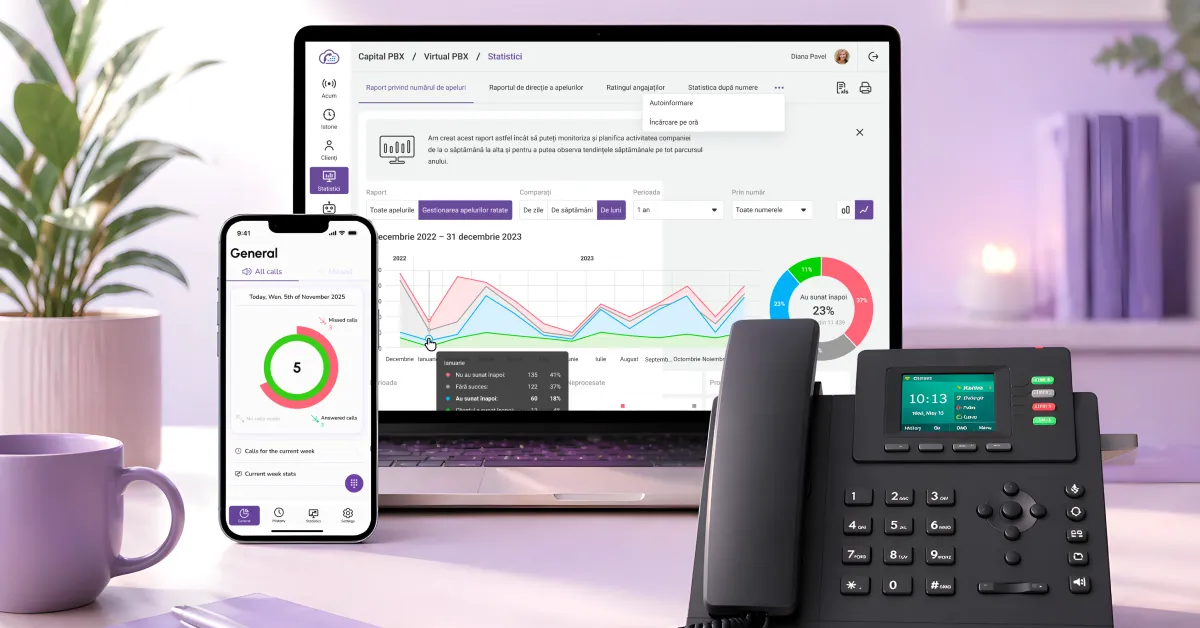
Panoul CapitalPBX cu rapoarte de apeluri pe laptop, aplicația pe telefon și un telefon IP de birou
Definition

A softphone that arrives already connected to your phone system

Most softphone apps are a standalone client: you install it, and then the question is what to connect it to and who will configure it.

Capital Talker arrives already connected to your company telephony. The business number, the voice menu, the queues and the routing rules stay the same, and the app simply brings them to the device in front of you.

That changes the question. You are no longer choosing a calling app, you are choosing what each colleague picks up: laptop, phone or browser. Capital Talker is part of the CapitalPBX VoIP telephony service.

Features

What your team can do, on each device

Your company number on a personal phone

Install the app on iOS or Android and take company calls on your own phone, without giving customers your personal number. On outgoing calls you choose which number you show: your own, the company's or the department's. When your shift is over, you close the app.

On a laptop, the whole call in one window

The desktop app for Windows and macOS keeps the keypad, the call history, transfers and notes in the same place, next to your CRM. You see the customer's name when they call, and you play the recording straight from the history, without opening the panel.

In the browser, on the same extension

If a colleague is working from a computer that is not theirs, they open the web interface and answer in the browser, on the same extension and the same routing rules.

Or a desk phone, if you prefer

The softphone is not compulsory. A SIP compatible IP phone connects to the same system, and in the same company some colleagues can work in the app while others work on a handset. An incoming call can be moved between your own devices, if you have at least two connected: answer on whichever suits you and hang up on the other.

Download the CapitalPBX mobile apps
CapitalPBX – Download on the App StoreCapitalPBX – Get it on Google Play
Worth knowing

What usually holds people back

You are not buying handsets

Capital Talker runs on the laptops and phones your team already has. You need an internet connection and a headset. It also works with USB headsets, including Jabra models.

Contract and invoice for a company or PFA

Capital Talker runs on a CapitalPBX business subscription, with a contract and an invoice issued to the company or sole trader (PFA). It is not a calling app for personal use and it cannot be used without a company account.

Your desk phones stay on the desk

If you have invested in IP phones, they stay in service. SIP compatible handsets and the app work side by side, on the same system and with the same routing rules.

Integrations

Calls from Capital Talker reach your team's CRM

The calls you make and take in the app connect to the systems your team already works in: Kommo, amoCRM, Altegio, Pipedrive, HubSpot, Salesforce, Zoho CRM, Zendesk, Bitrix24 and Microsoft Teams, as an additional option.

The connection is made through an API, including for Salesforce and HubSpot. If you use a system that is not on the list, you can connect it through the REST API.

Why CapitalPBX

Telecom technology, with local support in Romania

Not just software, but a team with over 20 years in telecom that joins you from setup to optimization.

20+years of telecom experience
5.0 ★real reviews on Google
a few daysfrom contract to the first call
GDPR · SOC 2data hosted in line with the EU
Call flow

How a customer call reaches the right colleague

Installing the apps and configuring the extensions takes a few days from contract, with migration support included.

01

The call arrives on your business number

The call comes in on the company's single business number.

02

The IVR and your hours decide where it goes

The voice menu (IVR) and your working hours decide where it goes, then distribution across queues and availability passes it on.

03

Your colleague answers on their own device

Your colleague answers in Capital Talker, on a laptop, on a phone or in the browser, on the same extension.

04

The call lands in history and in your CRM

The call closes into the call history and the activity reports, and through an integration it reaches your CRM as well.

Explore the platform

The other CapitalPBX products

Four products that work together, in a single platform.

Frequently asked questions

Quick answers

What is a softphone and how does it help my business?
A softphone is the app that takes the place of a desk handset: you make and take calls on the company number straight from a laptop, a phone or the browser. For a business it means you do not buy a handset for every colleague, and calls stay on the business number, with the same routing rules and the call history in one place.
What devices does Capital Talker run on?
On Windows and macOS as a desktop app, and on iOS and Android as a mobile app published on the App Store and Google Play. You can also answer in the browser, on the web interface. System requirements and installation steps for each platform are in help.capitalpbx.ro.
Can I call with the company number from my personal phone?
Yes. Install the app on your own phone and take company calls without giving customers your personal number. On outgoing calls you choose which number you show: your own, the company's or the department's. Your extension stays the same whatever device you answer on, and when your shift is over you close the app.
Do I need desk phones if I use a softphone?
No. Capital Talker runs on the laptops and phones your team already has, and to get started you need an internet connection and a headset. It also works with USB headsets, including Jabra models. If you do want handsets on the desks, SIP compatible IP phones connect to the same system.
Can it be used alongside our existing IP phones?
Yes. In the same company, some colleagues can work in the app and others on a handset, on the same system and with the same routing rules. An incoming call can be moved between your own devices, if you have at least two connected. Equipment settings and guides for each model are in help.capitalpbx.ro.
What happens to calls when the team works from home?
They arrive the same way. Routing, the voice menu and the queues sit in the cloud, not at the office, so a call goes to whichever colleague is available, wherever they work, as long as they have internet. Working hours and the calendar decide what happens outside office hours, and calls that nobody answered stay visible in reports, with automatic callback.
Are softphone calls recorded and do they show up in reports?
Yes, when recording is switched on. Calls go into the call history and the activity reports, and recordings come with one year of storage included. From the desktop app you play a recording straight from the history, without opening the panel. The dashboard shows call volume and answer time in real time.
Does it integrate with our CRM?
Yes. The calls you make and take in Capital Talker reach your team's CRM through the CapitalPBX system's integrations, and the connection is made through an API, including for Salesforce and HubSpot. The supported systems are listed in the integrations section on this page, and if you work with a different system, you can connect it through the REST API.
How long before we can actually make calls?
A few days from contract to the first call, with migration support included. Extensions, the voice menu and the routing rules are configured from the panel, and the apps are installed on the team's devices in the same step. Plans and prices are on the pricing page.
Let's get started

Tell us how your team works today

Tell us how many people answer the phone, on what devices and what number you use today. We propose the setup, then we put it into service.

1
Leave your details and choose a plan

Tell us about your team and your call volume, and we'll prepare a custom setup for you.

2
Guided setup

We activate your numbers, IVR, routing and the integration with your CRM, together with your team.

3
You start in a few days

Coordinated migration, so you don’t miss calls, with local support in Romania.

★★★★★5.0 on Google · Fast response from a real person

Request a call

A consultant will call you back as soon as possible.

Selected plan
Custom setup for your businessReal call and flow simulationNo hidden costs
GDPR compliant
Thank you! We'll call you back. A CapitalPBX consultant will contact you as soon as possible.
Oops! Something went wrong while submitting the form.
Resources

Recent resources and articles

Guides on cloud telephony, call centres and call automation.